Menu
ZacsTech
  • Home
  • Linux
  • Windows
  • How To
  • Resources
  • Contact Us
ZacsTech

How to Install NextCloud on Ubuntu 26.04

Posted on May 23, 2026

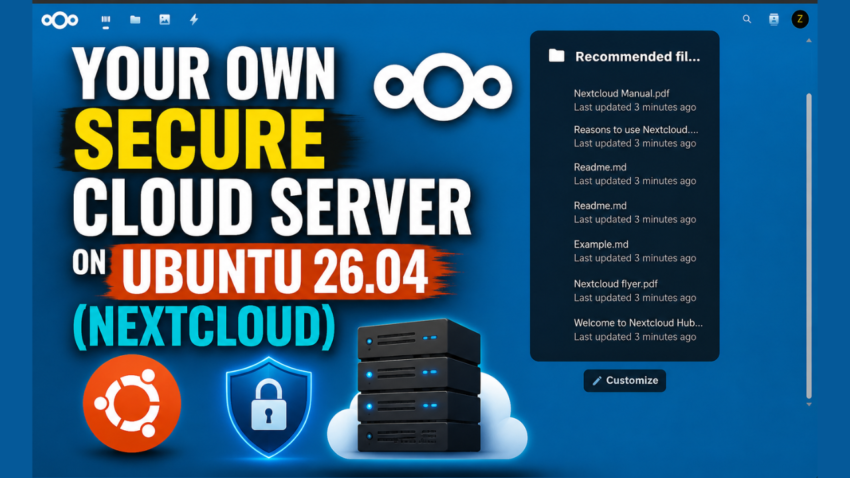
Nextcloud is one of the best self-hosted cloud platforms for anyone who wants full control over their files, privacy, and data. Instead of relying on third-party services like Google Drive or Dropbox, Nextcloud allows you to build your own secure cloud server directly on your Ubuntu system.

In this guide, you will learn how to install Nextcloud on Ubuntu 26.04 step by step. We’ll cover everything from installing the required packages and configuring the web server to setting up the database and accessing your cloud storage through a web browser.

By the end of this tutorial, you’ll have a fully functional private cloud server that you can use to store files, sync devices, share documents, and even collaborate with others securely from anywhere.


Commands

 Install PHP

# apt install php8.5-{fpm,xml,intl,common,curl,mbstring,mysql,gd,imagick,zip} bzip2 unzip

 Install and Configure Nginx

# apt install nginx -y

# nano /etc/nginx/conf.d/nextcloud.conf

Insert the following into that file.

upstream nextcloud {
    server unix:/var/run/php/php8.5-fpm.sock;
}

server {
    listen 80;
    server_name yourdomain.com;
    root /var/www/html/nextcloud;

    location = /robots.txt {
        allow all;
        log_not_found off;
        access_log off;
    }

    client_max_body_size 512M;
    fastcgi_buffers 64 4K;

    gzip on;
    gzip_vary on;
    gzip_comp_level 4;
    gzip_min_length 256;
    gzip_proxied expired no-cache no-store private no_last_modified no_etag auth;
    gzip_types application/atom+xml application/javascript application/json application/ld+json application/manifest+json application/rss+xml application/vnd.geo+json application/vnd.ms-fontobject application/x-font-ttf application/x-web-app-manifest+json application/xhtml+xml application/xml font/opentype image/bmp image/svg+xml image/x-icon text/cache-manifest text/css text/plain text/vcard text/vnd.rim.location.xloc text/vtt text/x-component text/x-cross-domain-policy;

    location / {
        rewrite ^ /index.php;
    }

    location ~ ^\/(?:build|tests|config|lib|3rdparty|templates|data)\/ {
        deny all;
    }
    location ~ ^\/(?:\.|autotest|occ|issue|indie|db_|console) {
        deny all;
    }

    location ~ ^\/(?:index|remote|public|cron|core\/ajax\/update|status|ocs\/v[12]|updater\/.+|oc[ms]-provider\/.+|.+\/richdocumentscode\/proxy)\.php(?:$|\/) {
        fastcgi_split_path_info ^(.+?\.php)(\/.*|)$;
        set $path_info $fastcgi_path_info;
        try_files $fastcgi_script_name =404;
        include fastcgi_params;
        fastcgi_param SCRIPT_FILENAME $document_root$fastcgi_script_name;
        fastcgi_param PATH_INFO $path_info;
        fastcgi_param modHeadersAvailable true;
        fastcgi_param front_controller_active true;
        fastcgi_pass nextcloud;
        fastcgi_intercept_errors on;
        fastcgi_request_buffering off;
    }

    location ~ ^\/(?:updater|oc[ms]-provider)(?:$|\/) {
        try_files $uri/ =404;
        index index.php;
    }

    location ~ \.(?:css|js|woff2?|svg|gif|map)$ {
        try_files $uri /index.php$request_uri;
        add_header Cache-Control "public, max-age=15778463";
        add_header Referrer-Policy "no-referrer" always;
        add_header X-Content-Type-Options "nosniff" always;
        add_header X-Download-Options "noopen" always;
        add_header X-Frame-Options "SAMEORIGIN" always;
        add_header X-Permitted-Cross-Domain-Policies "none" always;
        add_header X-Robots-Tag "none" always;
        add_header X-XSS-Protection "1; mode=block" always;

        access_log off;
    }

    location ~ \.(?:png|html|ttf|ico|jpg|jpeg|bcmap|mp4|webm)$ {
        try_files $uri /index.php$request_uri;
        access_log off;
    }
}

Restart Nginx

# systemctl restart nginx

Install MySQL Server

# apt install mysql-server

Create a Database

mysql> CREATE DATABASE nextcloud;
mysql> CREATE USER 'nextcloud'@'localhost' IDENTIFIED BY 'm0d1fyth15';
mysql> GRANT ALL PRIVILEGES ON nextcloud.* TO 'nextcloud'@'localhost';
mysql> FLUSH PRIVILEGES;
mysql> \q

Download NextCloud

https://download.nextcloud.com/server/releases/

Video

Related posts:

How to Install SonarQube using Docker Compose on Ubuntu 22.04How to Install SonarQube using Docker Compose on Ubuntu 22.04 How to Install Jenkins on Ubuntu 22.04How to install Jenkins on Ubuntu 22.04 How to Install Webmin on Ubuntu 24.04 LTSHow to Install Webmin on Ubuntu 24.04 LTS How to Install WordPress with a Single Script on Ubuntu 24.04How to Install WordPress with a Single Script on Ubuntu 24.04

Leave a Reply Cancel reply

Your email address will not be published. Required fields are marked *

  • facebook
  • twitter
  • pinterest
Privacy Policy
Terms and Conditions

Contact Us
About Us
©2026 ZacsTech | Powered by SuperbThemes
We use cookies on our website to give you the most relevant experience by remembering your preferences and repeat visits. By clicking “Accept All”, you consent to the use of ALL the cookies. However, you may visit "Cookie Settings" to provide a controlled consent.
Cookie SettingsAccept All
Manage consent

Privacy Overview

This website uses cookies to improve your experience while you navigate through the website. Out of these, the cookies that are categorized as necessary are stored on your browser as they are essential for the working of basic functionalities of the website. We also use third-party cookies that help us analyze and understand how you use this website. These cookies will be stored in your browser only with your consent. You also have the option to opt-out of these cookies. But opting out of some of these cookies may affect your browsing experience.
Necessary
Always Enabled
Necessary cookies are absolutely essential for the website to function properly. These cookies ensure basic functionalities and security features of the website, anonymously.
CookieDurationDescription
cookielawinfo-checkbox-analytics11 monthsThis cookie is set by GDPR Cookie Consent plugin. The cookie is used to store the user consent for the cookies in the category "Analytics".
cookielawinfo-checkbox-functional11 monthsThe cookie is set by GDPR cookie consent to record the user consent for the cookies in the category "Functional".
cookielawinfo-checkbox-necessary11 monthsThis cookie is set by GDPR Cookie Consent plugin. The cookies is used to store the user consent for the cookies in the category "Necessary".
cookielawinfo-checkbox-others11 monthsThis cookie is set by GDPR Cookie Consent plugin. The cookie is used to store the user consent for the cookies in the category "Other.
cookielawinfo-checkbox-performance11 monthsThis cookie is set by GDPR Cookie Consent plugin. The cookie is used to store the user consent for the cookies in the category "Performance".
viewed_cookie_policy11 monthsThe cookie is set by the GDPR Cookie Consent plugin and is used to store whether or not user has consented to the use of cookies. It does not store any personal data.
Functional
Functional cookies help to perform certain functionalities like sharing the content of the website on social media platforms, collect feedbacks, and other third-party features.
Performance
Performance cookies are used to understand and analyze the key performance indexes of the website which helps in delivering a better user experience for the visitors.
Analytics
Analytical cookies are used to understand how visitors interact with the website. These cookies help provide information on metrics the number of visitors, bounce rate, traffic source, etc.
Advertisement
Advertisement cookies are used to provide visitors with relevant ads and marketing campaigns. These cookies track visitors across websites and collect information to provide customized ads.
Others
Other uncategorized cookies are those that are being analyzed and have not been classified into a category as yet.
SAVE & ACCEPT