Menu
ZacsTech
  • Home
  • Linux
  • Windows
  • How To
  • Resources
  • Contact Us
ZacsTech

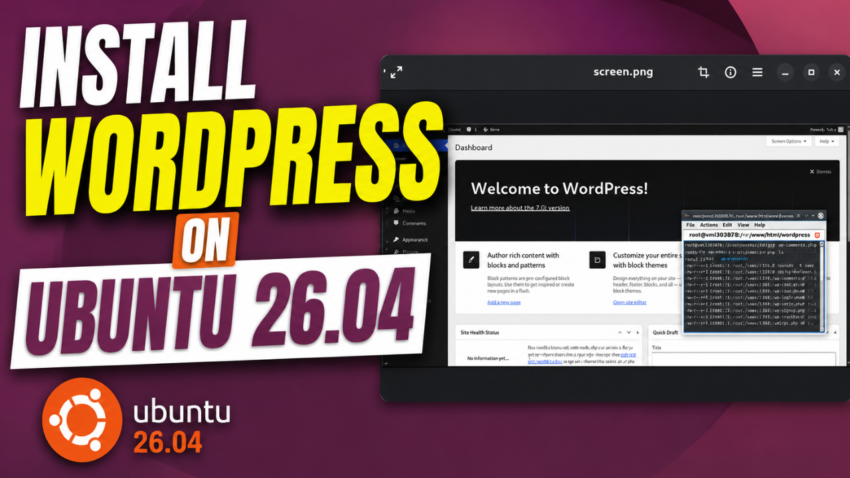
WordPress on Ubuntu 26.04 LTS: Complete Manual Setup

Posted on June 12, 2026June 12, 2026

WordPress remains the world’s most popular content management system, powering millions of websites ranging from personal blogs to large business platforms. If you’re looking to build your own website on a reliable and modern Linux server, Ubuntu 26.04 LTS provides an excellent foundation thanks to its long-term support, stability, and security features.

In this step-by-step guide, you’ll learn how to install WordPress on Ubuntu 26.04 LTS using Apache, MariaDB, and PHP. We’ll cover everything from preparing your server and creating a database to configuring Apache and completing the WordPress setup wizard. Whether you’re a beginner setting up your first website or an experienced system administrator deploying a new project, this tutorial will help you get WordPress up and running quickly and efficiently.

By the end of this guide, you’ll have a fully functional WordPress installation ready for customization, content creation, and production use.

Commands

apt update -y && apt upgrade -y

apt install apache2 -y

systemctl start apache2 && systemctl enable apache2

systemctl status apache2

apt install mariadb-server -y

systemctl start mariadb && systemctl enable mariadb

systemctl status mariadb

apt install php8.5 libapache2-mod-php8.5 php8.5-fpm php8.5-mysql php8.5-xml php8.5-mbstring php8.5-curl -y

php -v

CREATE DATABASE wpdb;
CREATE USER ‘wpuser’@’localhost’ IDENTIFIED BY ‘StrongPasswordHere!!!’;
GRANT ALL ON wpdb.* TO ‘wpuser’@’localhost’ WITH GRANT OPTION;
FLUSH PRIVILEGES;
EXIT;

cd /var/www/html && wget https://wordpress.org/latest.zip
unzip latest.zip -d /var/www/html
rm latest.zip

chown -R www-data:www-data /var/www/html/wordpress/
cd /var/www/html/wordpress/
find . -type d -exec chmod 755 {} \;
find . -type f -exec chmod 644 {} \;

cd /var/www/html/wordpress
mv wp-config-sample.php wp-config.php

touch /etc/apache2/sites-available/wordpress.conf

nano /etc/apache2/sites-available/wordpress.conf


<VirtualHost *:80>
ServerName 167.86.119.178
DocumentRoot /var/www/html/wordpress

<Directory /var/www/html/wordpress>
AllowOverride All
Require all granted
</Directory>

ErrorLog ${APACHE_LOG_DIR}/error.log
CustomLog ${APACHE_LOG_DIR}/access.log combined
</VirtualHost>

a2enmod rewrite
a2ensite wordpress.conf

apachectl -t

systemctl restart apache2


VIDEO:


Related posts:

How to Install WordPress with a Single Script on Ubuntu 24.04How to Install WordPress with a Single Script on Ubuntu 24.04 How to Install Odoo 18 on Ubuntu 24.04 Set Up SoftEther VPN on Ubuntu 24.04 Super Fast How to Install Apache Kafka on Ubuntu 24.04

Leave a Reply Cancel reply

Your email address will not be published. Required fields are marked *

  • facebook
  • twitter
  • pinterest
Privacy Policy
Terms and Conditions

Contact Us
About Us
©2026 ZacsTech | Powered by SuperbThemes
We use cookies on our website to give you the most relevant experience by remembering your preferences and repeat visits. By clicking “Accept All”, you consent to the use of ALL the cookies. However, you may visit "Cookie Settings" to provide a controlled consent.
Cookie SettingsAccept All
Manage consent

Privacy Overview

This website uses cookies to improve your experience while you navigate through the website. Out of these, the cookies that are categorized as necessary are stored on your browser as they are essential for the working of basic functionalities of the website. We also use third-party cookies that help us analyze and understand how you use this website. These cookies will be stored in your browser only with your consent. You also have the option to opt-out of these cookies. But opting out of some of these cookies may affect your browsing experience.
Necessary
Always Enabled
Necessary cookies are absolutely essential for the website to function properly. These cookies ensure basic functionalities and security features of the website, anonymously.
CookieDurationDescription
cookielawinfo-checkbox-analytics11 monthsThis cookie is set by GDPR Cookie Consent plugin. The cookie is used to store the user consent for the cookies in the category "Analytics".
cookielawinfo-checkbox-functional11 monthsThe cookie is set by GDPR cookie consent to record the user consent for the cookies in the category "Functional".
cookielawinfo-checkbox-necessary11 monthsThis cookie is set by GDPR Cookie Consent plugin. The cookies is used to store the user consent for the cookies in the category "Necessary".
cookielawinfo-checkbox-others11 monthsThis cookie is set by GDPR Cookie Consent plugin. The cookie is used to store the user consent for the cookies in the category "Other.
cookielawinfo-checkbox-performance11 monthsThis cookie is set by GDPR Cookie Consent plugin. The cookie is used to store the user consent for the cookies in the category "Performance".
viewed_cookie_policy11 monthsThe cookie is set by the GDPR Cookie Consent plugin and is used to store whether or not user has consented to the use of cookies. It does not store any personal data.
Functional
Functional cookies help to perform certain functionalities like sharing the content of the website on social media platforms, collect feedbacks, and other third-party features.
Performance
Performance cookies are used to understand and analyze the key performance indexes of the website which helps in delivering a better user experience for the visitors.
Analytics
Analytical cookies are used to understand how visitors interact with the website. These cookies help provide information on metrics the number of visitors, bounce rate, traffic source, etc.
Advertisement
Advertisement cookies are used to provide visitors with relevant ads and marketing campaigns. These cookies track visitors across websites and collect information to provide customized ads.
Others
Other uncategorized cookies are those that are being analyzed and have not been classified into a category as yet.
SAVE & ACCEPT